
SeaArt AI: Generate Unlimited AI Images for Free – Best Midjourney Alternative
In today’s digital world, Artificial Intelligence (AI) has completely transformed the way we create, work, and express our ideas. With advanced AI systems and powerful algorithms, you can now turn almost any creative idea into reality within seconds.
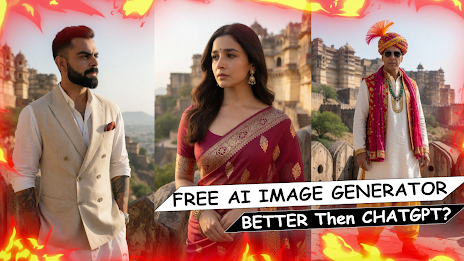
If you are looking for a free Text-to-Image AI tool and are tired of expensive AI platforms, this article is for you. Today, we are introducing SeaArt AI, a popular AI platform that allows users to create stunning AI-generated images and explore image-to-video features.
What Is AI (Artificial Intelligence)?
If you are not familiar with AI, simply put, Artificial Intelligence is a technology that enables computer systems to understand instructions, process information, and generate results that normally require human intelligence.
AI works through advanced algorithms and machine-learning technologies. By providing a detailed instruction, commonly known as a prompt, you can ask an AI tool to create an image, write content, generate ideas, or perform many other tasks.
One of the most popular applications of this technology is Text-to-Image AI, which can transform written descriptions into visually impressive images.
What Is SeaArt AI? – A Free Midjourney Alternative
The AI platform we are discussing today is SeaArt AI. It is designed for AI image creation and provides users with a wide range of creative tools and models.
While some AI image-generation platforms require a paid subscription, SeaArt AI provides free access to image-generation features, although its free usage may be subject to credits, limits, or platform policies that can change over time.
Key Features of SeaArt AI
Text-to-Image:
Create impressive AI-generated images simply by entering a text prompt describing what you want.
Image-to-Video:
Turn suitable images into engaging video content using AI-powered tools.
Fast Generation:
Depending on the selected model, settings, and current server load, images can often be generated within a short period of time.
High-Quality Results:
SeaArt AI offers different models and styles that can produce detailed, realistic, artistic, and creative images.
How to Generate AI Images with SeaArt AI – Step-by-Step Guide
If you want to try SeaArt AI, follow these simple steps.
Step 1: Visit SeaArt AI and Sign Up
First, open Google Chrome or another web browser on your smartphone or computer.
Search for “SeaArt AI” and open the official SeaArt AI website. Create an account using one of the available sign-up options.
Step 2: Open the AI Image Generator
After signing in, you will reach the SeaArt AI dashboard.
Look for the AI image generation or Text-to-Image feature. Depending on the current website interface, the exact location or name of the option may vary.
Select the image-generation tool to get started.
Step 3: Enter a Detailed Prompt
Now, enter a description of the image you want to create.
Remember, the quality and detail of your prompt can have a major impact on the generated result. Try to describe the subject, clothing, environment, lighting, camera angle, mood, and visual style whenever appropriate.
For example:
“A fictional Indian monk character standing near the historic Chittorgarh Fort at sunrise, traditional clothing, cinematic lighting, realistic photography, highly detailed background.”
You can also experiment with prompts featuring celebrities or fictional characters, while keeping in mind that AI-generated content involving real people should be used responsibly.
Step 4: Select the Aspect Ratio and Style
Next, explore the available settings and choose an image style or model according to your requirements.
If you are creating content for Instagram Reels, YouTube Shorts, or mobile screens, the 9:16 aspect ratio is generally a good choice.
For Instagram posts or other square content, you can choose a 1:1 ratio when available.
Step 5: Click “Generate”
Once everything is ready, click the Generate button.
SeaArt AI will process your prompt and create the image. The generation time can vary depending on the selected model, image settings, server load, and your account’s available credits.
Once the image is generated, you can preview it and use the available options to save or further edit it.
Why Should You Try SeaArt AI?
If you enjoy experimenting with AI-generated artwork, SeaArt AI can be an interesting platform to explore. It offers various creative models, styles, and generation options, allowing beginners as well as experienced users to experiment with different types of visual content.
You can create realistic photography, fantasy artwork, anime-style images, cinematic scenes, character concepts, and much more.
Conclusion
If you want to explore AI image generation without immediately paying for an expensive subscription, SeaArt AI is worth trying. Its collection of AI models and creative tools gives you plenty of opportunities to experiment with your ideas.
However, always check the platform’s current terms, usage limits, credits, and pricing because AI services can change their features and free-tier policies over time.
So, what are you waiting for? Open SeaArt AI, write your first creative prompt, and start exploring the world of AI-generated images.
Don’t Forget to Subscribe!
Friends, if you found this information useful, please share this article with your friends on Facebook and WhatsApp.
We would also love to hear from you. Let us know in the comments what you think about SeaArt AI and which AI tool you would like us to cover next.
For more interesting and useful AI, technology, Android, apps, and digital tips, make sure to subscribe to our YouTube channel, Mr. Mobile Loan.
Thanks to your love and support, we have reached 100,000 (100K) subscribers and received the YouTube Silver Creator Award.
Our next goal is to reach 1 million subscribers, and we would love to have you with us on this journey.
Don’t forget to subscribe and turn on the notification bell!
Thank you for your love and support!