

Ever seen a screenshot of a brand-new WhatsApp layout or a sleek Spotify redesign and wondered how someone got it weeks ahead of you?
You rush over to the Google Play Store, scroll down to the beta testing section, and get hit with that dreaded message: “The beta program is currently full.”
It is one of the most frustrating experiences for any tech enthusiast. Developers roll out cutting-edge experimental features to small batches of testers, but these slots vanish within minutes. Checking dozens of apps manually every single week is tedious, and half the time, you don’t even know which of your installed apps actually run a public testing channel.
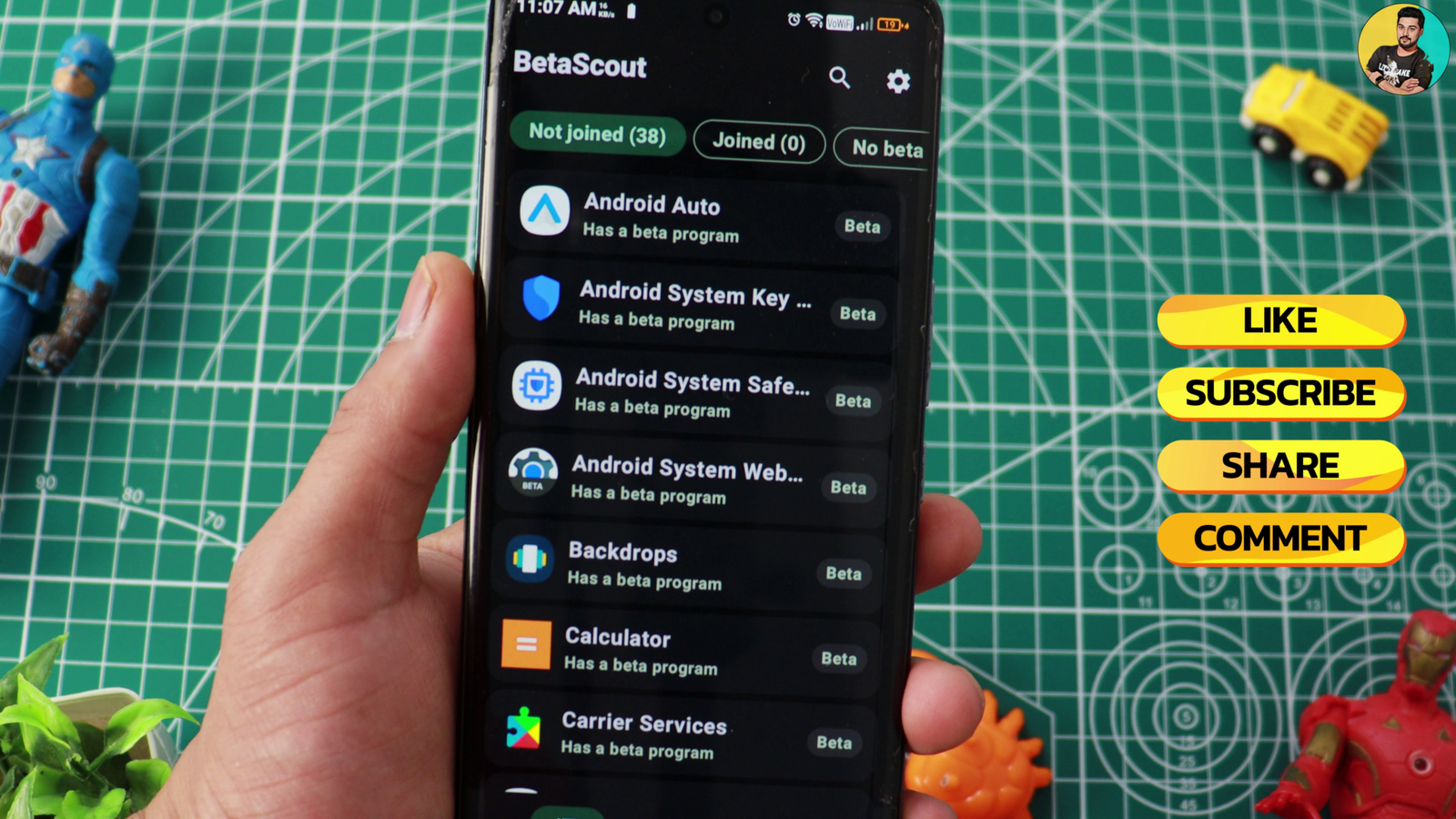
That is where the Beta Scout app steps in. Instead of leaving you to hunt down hidden links, this lightweight utility tracks, monitors, and alerts you to open testing programs for every app resting on your phone. Here is everything you need to know about how it works, what it does, and why it belongs in your toolbox.
What Exactly Is the Beta Scout App?
The Beta Scout app is a specialized Android utility designed to catalog and track Google Play open-testing (beta) programs.
Unlike bloated booster tools or generic APK downloaders, Beta Scout does not try to reinvent Android. Instead, it scans your installed applications locally, checks them against an active community-driven database of known beta programs, and gives you direct pathways to jump in the moment a space opens up.
The project is built with privacy in mind, available on platforms like GitHub Releases and Aptoide rather than through standard Play Store channels.
Core Features: How Beta Scout Makes Life Easier
Tracking beta slots manually feels like refreshing a concert ticket page over and over. Beta Scout removes the heavy lifting through a clean, practical feature set.
1. Local App Scanning
Beta Scout scans every app installed on your device—including package names, version tags, and install sources. The entire process runs strictly on-device, meaning your inventory never gets uploaded to third-party marketing servers.
2. A Verified Community Catalog
The app references a growing catalog of over 1,000 Android apps with known open-testing channels.
- Community members flag candidate apps.
- A server-side verification check validates the program on Google Play.
- Legitimate entries enter the shared daily feed for everyone to see.
3. One-Tap Deep Links
Forget hunting through search engines for sketchy forum threads. Beta Scout generates direct links pointing straight to official
[play.google.com/apps/testing/](https://play.google.com/apps/testing/)... landing pages or relevant store listings.4. Custom Watchlists and Timely Reminders
If an app you love is currently closed to new testers, you can pin it to your personal watchlist. Set a recurring reminder for 7, 14, or 30 days. When the alert pops up, tap it, and you are immediately redirected to the opt-in page to snag an open vacancy.
5. Multilingual Interface
Beta Scout automatically detects your system language, offering support for seven languages out of the box:
- English
- German (Deutsch)
- French (français)
- Spanish (español)
- Italian (italiano)
- Brazilian Portuguese (português do Brasil)
- Finnish (suomi)
On Android 13 and newer, you can also set the language specifically for Beta Scout inside your system settings.
Important Boundaries: What Beta Scout Does Not Do
To keep your expectations realistic, it helps to understand what the app leaves in your hands. Beta Scout is an intelligent scout, not an automated bot.
- It will never join a program automatically: Google requires an explicit tap on the “Become a Tester” button from an authenticated user. You must press that button yourself.
- It does not bypass Google Play: You are not sideloading modified binaries or unverified code. Every actual update still downloads straight through the official Google Play infrastructure.
- It cannot see live slot capacity while logged out: Google only reveals whether a testing slot is genuinely open or packed to a signed-in account. Without an active login, Beta Scout simply points you to the testing hub.
Recent Improvements and Bug Fixes
The developers have ironed out several technical quirks in recent releases:
- Android 8–11 SQLite Fix: When the shared directory surpassed 1,000 apps, older Android versions hit a database constraint that left the catalog blank. This has been resolved, restoring full functionality on older versions.
- Translated Catalog Notes: Labels like “Confirmed via Google Play” or “Reported by users” now render properly in all seven supported languages.
- Layout Resilience: If Google alters the styling of its opt-in pages, Beta Scout records the scan as a failed check rather than generating false “slot open” alerts.
- Scan Stability: Background scans no longer hang on the final task or leave persistent notifications stuck in your tray.
- Clean Sign-Out: Logging out scrubs all cached scan results, including historical data from previous sessions.
Why Isn’t Beta Scout on the Google Play Store?
You will not find the Beta Scout app directly inside the Google Play Store, and there is a very practical reason for that: Android permissions.
To evaluate which of your installed apps offer beta builds, the tool relies on a core Android permission called
QUERY_ALL_PACKAGES. Google places heavy restrictions on this permission for apps hosted in the Play Store, rejecting utilities that do not fit into rigid categories like antivirus or file managers.Rather than stripping out the scan engine that makes the utility functional, the developer distributes the app independently via GitHub Releases and Aptoide.
Privacy and Data Security
Whenever a tool asks for access to your app list or Google account, skepticism is healthy. Here is how Beta Scout handles your data:
| Feature / Data Point | How Beta Scout Handles It |
| Installed Apps List | Kept strictly on-device; never transmitted across the network |
| Account Session Cookies | Encrypted locally on your phone; used solely to query Google Play testing pages |
| Catalog Links | Hardcoded to open only on legitimate play.google.com web addresses |
| Discovery Sharing | Completely optional (off by default); shares only raw package names without device IDs |
| Analytics & Trackers | Zero commercial trackers, third-party advertising SDKs, or background telemetry |
Step-by-Step: Installing and Setting Up Beta Scout
Getting started takes less than two minutes:
- Head to the official GitHub repository releases section or open the Aptoide app store.
- Download the latest stable APK build.
- Tap the downloaded file. When prompted by Android, grant permission to install from this source.
- Open Beta Scout and allow it to run its initial local package scan.
- (Optional) Sign in with your Google account if you want the app to detect live membership statuses automatically.
- Browse the catalog, flag your favorite apps, and set reminder cadences for those currently locked.
Final Thoughts
Snagging early access to new software features should not require hours of manual checking or digging through obscure message boards. The Beta Scout app simplifies an otherwise annoying chore into a clean, structured workflow.
It respects user privacy, avoids unnecessary background bloat, and provides Android enthusiasts with an organized way to keep their devices on the cutting edge. If you enjoy testing software before the general public, it is an essential addition to your daily setup.
Frequently Asked Questions (FAQ)
Can using the Beta Scout app get my Google account banned?
No. The app does not modify system files, inject code, or spoof requests. When you sign in, it merely visits official Google Play web opt-in links using a secure session, which falls entirely within normal web browsing behavior.
Do I have to sign in with my Google account to use it?
No. Beta Scout works completely fine offline as a local catalog and reminder tool. Signing in simply allows the scanner to check whether a specific beta page currently has room for your account without making you check each link manually.
How are new apps added to the community catalog?
If you enable the optional “Share discoveries” toggle, Beta Scout submits package names that appear to feature open testing tracks. A server-side harvester verifies those suggestions against Google Play before publishing them to the global directory.
Will Beta Scout update my apps automatically?
No. Beta Scout helps you claim a spot inside official testing pools. Once you tap “Become a Tester” on the linked Google Play page, your actual app updates continue to arrive normally through the standard Google Play Store update queue.