
Gemini Update: 3.7 Flash and No More Watermarks
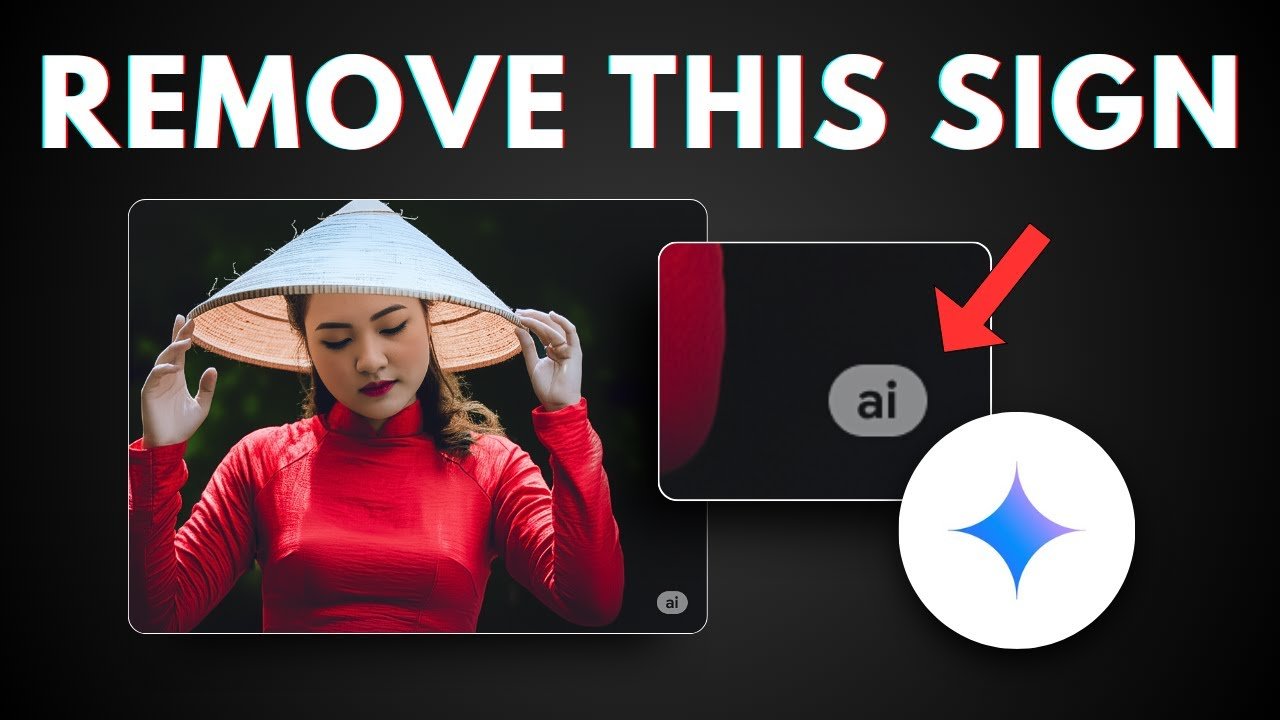
How to remove the visible watermark in Google Gemini 3.7. Discover the new Media Watermark toggle, how SynthID and C2PA metadata work, and step-by-step instructions. Google has rolled out one of the most requested features across its generative AI ecosystem: the ability to remove visible watermarks from AI-generated images, videos, and music. With the latest multimodal updates and the arrival of Gemini 3.7, creators no longer need third-party cleanup apps or cropping workarounds to produce clean, professional assets. By toggling off the native Media Watermark setting in the Gemini app and Google’s video editor, Flow, users can export visual and auditory assets free from the corner “sparkle” icon.
┌─────────────────────────────────────────────────────────────┐
│                      WHAT'S CHANGING?                       │
├──────────────────────────────┬──────────────────────────────┤
│ Visible Sparkle Watermark    │ OPTIONAL (Toggle On/Off)     │
│ Invisible SynthID Watermark  │ ALWAYS ACTIVE (Imperceptible)│
│ C2PA Provenance Metadata     │ EMBEDDED (Cryptographic)     │
└──────────────────────────────┴──────────────────────────────┘
This guide explains how the Google Gemini 3.7 remove watermark feature works, why Google made the shift, how transparency is preserved via SynthID and C2PA standards, and the exact steps to disable the watermark on desktop and mobile.
The Big Shift: Why Google Made AI Watermarks Optional
Since Google introduced media generation through its Nano Banana (image), Omni (video), and Lyria (audio) models, every generation has arrived stamped with a signature sparkle watermark in the bottom-right corner. While designed for transparency, visible badges created friction for creative professionals, web developers, UI designers, and digital marketers who needed production-ready assets.
                  ┌────────────────────────┐
                  │ AI Generative Pipeline │
                  └───────────┬────────────┘
                              │
              ┌───────────────┴───────────────┐
              ▼                               ▼
   Visible Watermark Layer        Invisible Provenance Layer
   • Bottom-right sparkle icon    • DeepMind SynthID (Pixel-level)
   • Can be toggled OFF in v3.7   • C2PA Content Credentials
                                  • Verifiable via Search / Gemini
Josh Woodward, Vice President of Google Labs, Gemini, and AI Studio, highlighted this balance on X (formerly Twitter):
“We’re striking a balance here between creative control and safety: while the visible watermarks are now optional, invisible SynthID watermarks and C2PA metadata are still being used for transparency. So you can still use Gemini or Search to see if an image was AI-generated.”
This update brings Google’s toolset into alignment with competitors like OpenAI (DALL-E 3 / Sora) and Meta AI, both of which rely primarily on cryptographic provenance metadata rather than intrusive on-screen logos.
How the Gemini 3.7 Media Watermark Setting Works
The toggle is housed under your account preferences and applies immediately to newly created media.
Supported Models and Tools
The removal option spans Google’s primary multimodal engines:
- Google Gemini App & Web (gemini.google.com): For inline image and media generation.
- Flow (Google’s AI Video Generator & Editor): For short clips and cinematic sequences.
- Google Search Generative Experience (SGE): Rolling out progressively for Search-based AI creations.
- Underlying Engines: Supports Nano Banana (image diffusion), Omni (multimodal video synthesis), and Lyria (music composition).
Step-by-Step: How to Turn Off Visible Watermarks in Google Gemini
Disabling the sparkle mark requires a single configuration change within your Google account.
On Desktop (Web Browser)
- Navigate to gemini.google.com and ensure you are signed in.
- Click the Settings (gear icon) located in the bottom-left sidebar.
- Select Media watermark from the settings menu.
- Switch the toggle from On to Off.
- Generate a new image or clip; the output will now render edge-to-edge without the corner sparkle logo.
On Mobile (Android & iOS)
- Open the Google Gemini application.
- Tap your Profile Picture in the top-right corner.
- Tap Gemini Settings.
- Scroll to the Creation & Media section and tap Media watermark.
- Toggle the visible watermark setting Off.
Note: Existing images already generated and saved with the sparkle badge will not change retroactively. The setting applies to all subsequent generations.
Behind the Scenes: SynthID, C2PA, and Credentio
Removing the visible logo does not make Gemini generations untraceable. Google implements a dual-layer invisible provenance system to ensure responsible AI governance.
                     ┌───────────────────────┐
                     │ AI Generated Asset    │
                     └──────────┬────────────┘
                                │
        ┌───────────────────────┴───────────────────────┐
        ▼                                               ▼
┌───────────────────────────────┐     ┌───────────────────────────────────┐
│ Google DeepMind SynthID       │     │ C2PA Open Standard Metadata       │
├───────────────────────────────┤     ├───────────────────────────────────┤
│ • Embedded into pixel math    │     │ • Tamper-evident cryptographic log│
│ • Survives crops, compression │     │ • Verifiable via Credentio C++    │
│ • Detectable via Search       │     │ • Compatible across industry tools│
└───────────────────────────────┘     └───────────────────────────────────┘
1. Google DeepMind SynthID
SynthID embeds a digital watermark directly into the mathematical pixels of images, audio spectrograms, or video frames. It is completely invisible to the human eye but persists through common post-processing operations, such as:
- Image compression (e.g., converting to JPG/WebP).
- Moderate cropping and color filters.
- Format transcodings in video and audio streams.
Google’s SynthID has watermarked over 100 billion images and tens of thousands of hours of synthesized audio.
2. C2PA Metadata (Content Credentials)
Gemini attaches Coalition for Content Provenance and Authenticity (C2PA) metadata to exported files. This standard provides a cryptographic manifest showing when, where, and by which model an asset was created.
3. Open-Sourcing “Credentio”
Google has also open-sourced Credentio, a lightweight C++ library that validates C2PA Content Credentials directly on-device. This enables third-party developers, browsers, and social networks to verify the authenticity of AI-generated media without needing to ping Google servers.
Feature Comparison: Gemini Watermarking Modes
| Feature Attribute | Visible Sparkle (Default Previously) | Media Watermark OFF (Gemini 3.7) |
| Visual Appearance | Corner spark icon | Clean, 100% border-to-border output |
| Ideal For | Quick prototyping, casual chat sharing | Commercial design, UI mockup, client deliverables |
| SynthID Integration | Active | Active (Unchanged) |
| C2PA Metadata | Included | Included (Unchanged) |
| Detectable by Search/AI | Yes | Yes |
| Model Compatibility | Nano Banana, Omni, Lyria | Nano Banana, Omni, Lyria |
Key Exceptions: Where the Toggle Is Disabled
The Media Watermark toggle is not universally accessible in every account configuration or territory:
- Enterprise & Education Accounts: Google Workspace accounts managed by schools, universities, or corporate domains may have the toggle permanently locked to “On” according to organizational compliance rules.
- Jurisdictional Regulations: In countries where local legislation mandates an explicit on-screen badge on all AI-synthesized imagery (such as specific compliance frameworks in South Korea), the toggle remains greyed out.
Gemini 3.7 Capabilities Beyond Watermark Controls
The removal toggle arrives alongside performance improvements in Gemini 3.7 and Gemini 3.7 Flash:
- Advanced Reasoning: Enhanced logic handling for knowledge-heavy domains including finance, software engineering, and the biosciences.
- Coding & Frontend UI: Improved real-time web application generation and interactive component drafting.
- Workspace Agent Performance: Faster tool execution when processing multi-document queries across Docs, Sheets, and Drive.
Frequently Asked Questions (FAQ)
How do I check if a watermark-free image was made with Gemini?
Upload the file to Google Search Lens or ask Gemini directly. The built-in SynthID scanner reads the embedded pixel signature and identifies the AI model used.
Is removing the visible watermark legal for commercial projects?
Yes, provided your usage adheres to Google’s Generative AI Terms of Service and local advertising disclosure guidelines.
Does removing the watermark reduce image resolution?
No. Turning off the watermark does not alter the output resolution, color space, or pixel density.
Conclusion
The option to remove the visible watermark in Google Gemini 3.7 bridges the gap between high-end AI utility and ethical media distribution. Creators get unblemished visuals for marketing campaigns, websites, and video edits, while cryptographic metadata (C2PA) and invisible pixel patterns (SynthID) ensure responsible provenance verification across the web.